

Implementing Canary Releases with Istio on Kubernetes: A Step-by-Step Guide
Deploying new features or updates to your application can be risky. What if the new version has bugs or performance issues? This is where canary releases come into play. By rolling out changes to a small subset of users first, you can test the waters before fully committing. In this blog, I’ll walk you through how to implement canary releases using Istio on Kubernetes, sharing my learnings and practical steps along the way.
What is a Canary Release?
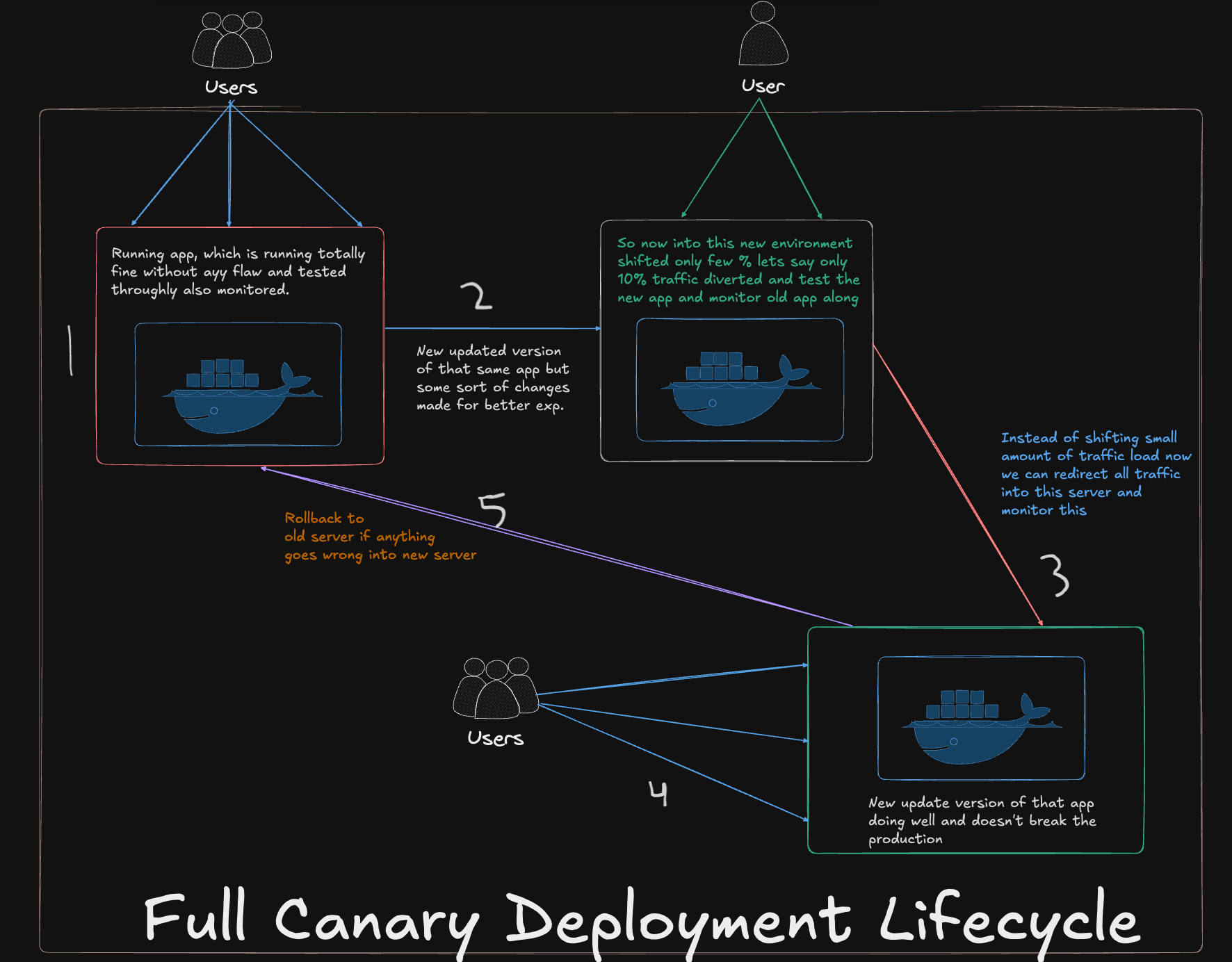
Imagine you’re releasing a new feature in your app. Instead of rolling it out to all users at once, you release it to a small group (say, 10%) first. This is called a canary release. It’s named after the "canary in a coal mine" concept, where miners used canaries to detect dangerous gases. If the canary stayed healthy, the miners knew it was safe to proceed.
In software terms, if the new version works well for the small group, you gradually roll it out to everyone. If something goes wrong, you can roll back without affecting all users.
Why Use Istio for Canary Releases?
Istio is a service mesh that makes managing microservices easier. It’s perfect for canary releases because:
Traffic Control: You can easily split traffic between versions (e.g., 90% to the old version, 10% to the new one).
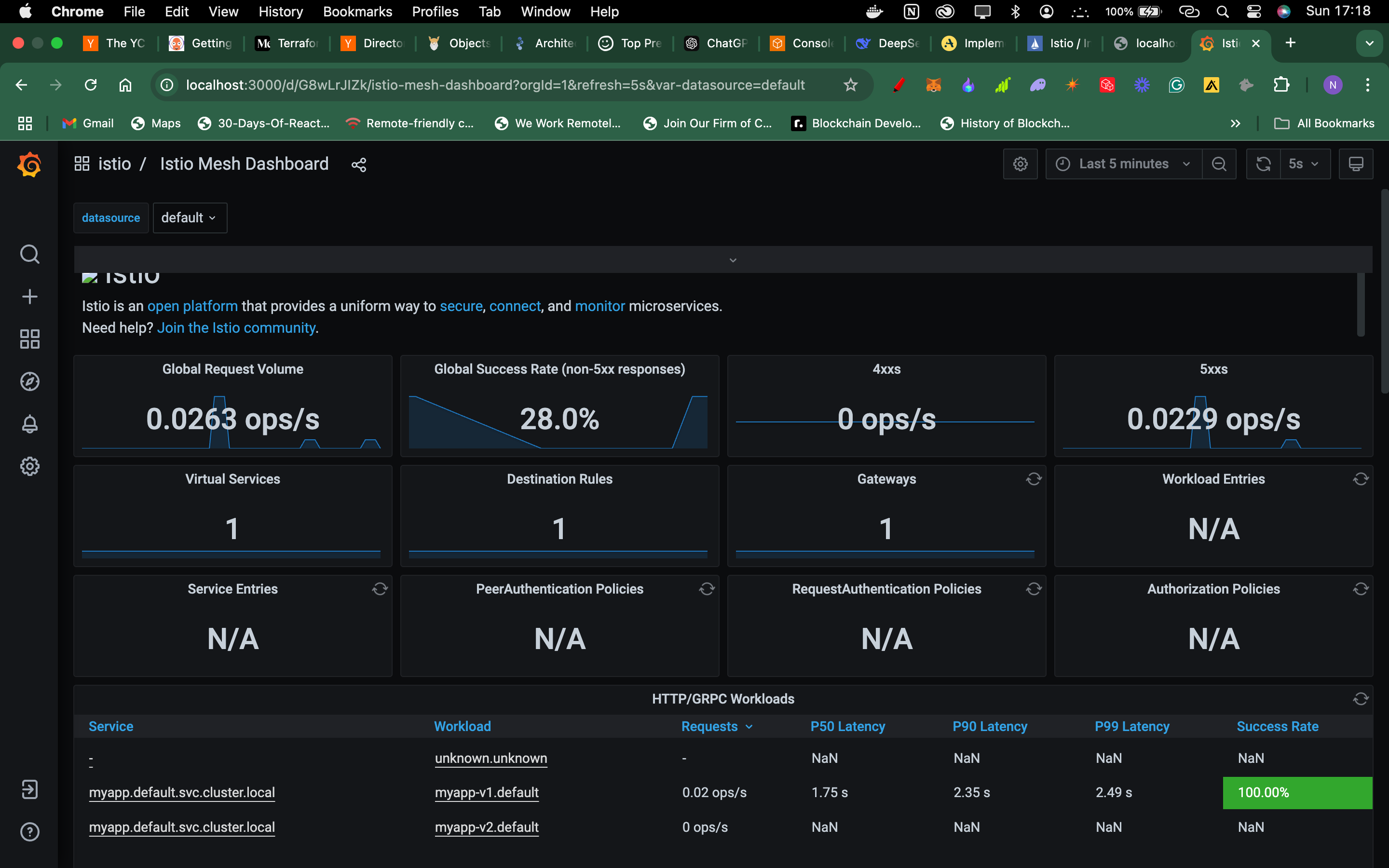
Observability: Istio provides detailed metrics (like error rates and latency) to help you monitor the new version.
Resilience: It supports features like retries, timeouts, and circuit breakers to handle failures gracefully.
My Learning Journey
When I first started with Istio, I was overwhelmed by its complexity. But as I dug deeper, I realized how powerful it is for managing microservices. Here’s what I learned:
Istio’s Sidecar Proxy: Istio uses a sidecar proxy (Envoy) to manage traffic. This means you don’t need to modify your app code to use Istio.
Traffic Shifting: Istio’s
VirtualServiceandDestinationRulemake it easy to control traffic routing.Monitoring: Tools like Prometheus and Grafana integrate seamlessly with Istio, giving you real-time insights into your app’s performance.
My GitHub Link -> https://github.com/Pushkarmondal/canary-deployment-istio

Join Pushkar on Peerlist!
Join amazing folks like Pushkar and thousands of other builders on Peerlist.
0
3
0